
Taking a 0→1 AI tax-savings agent from insight to launch
$1,000-1,500+
average incremental deductions per user. A standout result, featured in the Q2 CEO investor update. QuickBooks starts paying for itself.
2×
tax filing upsell CTR. Real savings, more confidence, and a natural upsell path to TurboTax filing. Win-win.
9X%
helpfulness score. XX% above target.
Intuit wanted to drive more engagement with business income tax and win a bigger share of the self-filing market among business owners without CPA. But self-filing instills fear, uncertainty, and doubt. There was also a product gap: most owners buy QuickBooks for year-end taxes, yet they're nearly invisible inside the product itself.
2025 | 5 months | 32 qualitative research participants Core team: 1 product manager, 1 content designer, 9 engineers & myself
-
Initiated the founding discovery research
-
Ran scrappy in-product sizing experiments
-
Iteratively designed & tested the product end-to-end
-
Spun up a higher-stakes tax-savings agent
Finding the idea in a weak signal
Initiated discovery research with our DIY filers target
I initiated observational research as I onboarded into Business Tax (15 SMB sessions) to better understand self-filing drivers & blockers.
Insight: DIY filers leave tax money on the table
I discovered a hidden insight from a weak signal: business owners were leaving money on the tax table. They didn’t know what was deductible and their deductible expenditure wasn’t fully tracked in QuickBooks.
My insight became the AI feature idea
When the product manager and I were brainstorming AI-powered roadmap ideas, that insight prompted the AI deductions agent.

Turning around leaders' skepticism with an experiment
Leadership's instinct was that it was an edge case
My deduction maximizer idea was met with skepticism because QuickBooks is designed to track business expenditure. Why would we need to develop a tool for expenses not captured in QuickBooks?
An in-product experiment helped size the use case & get approval
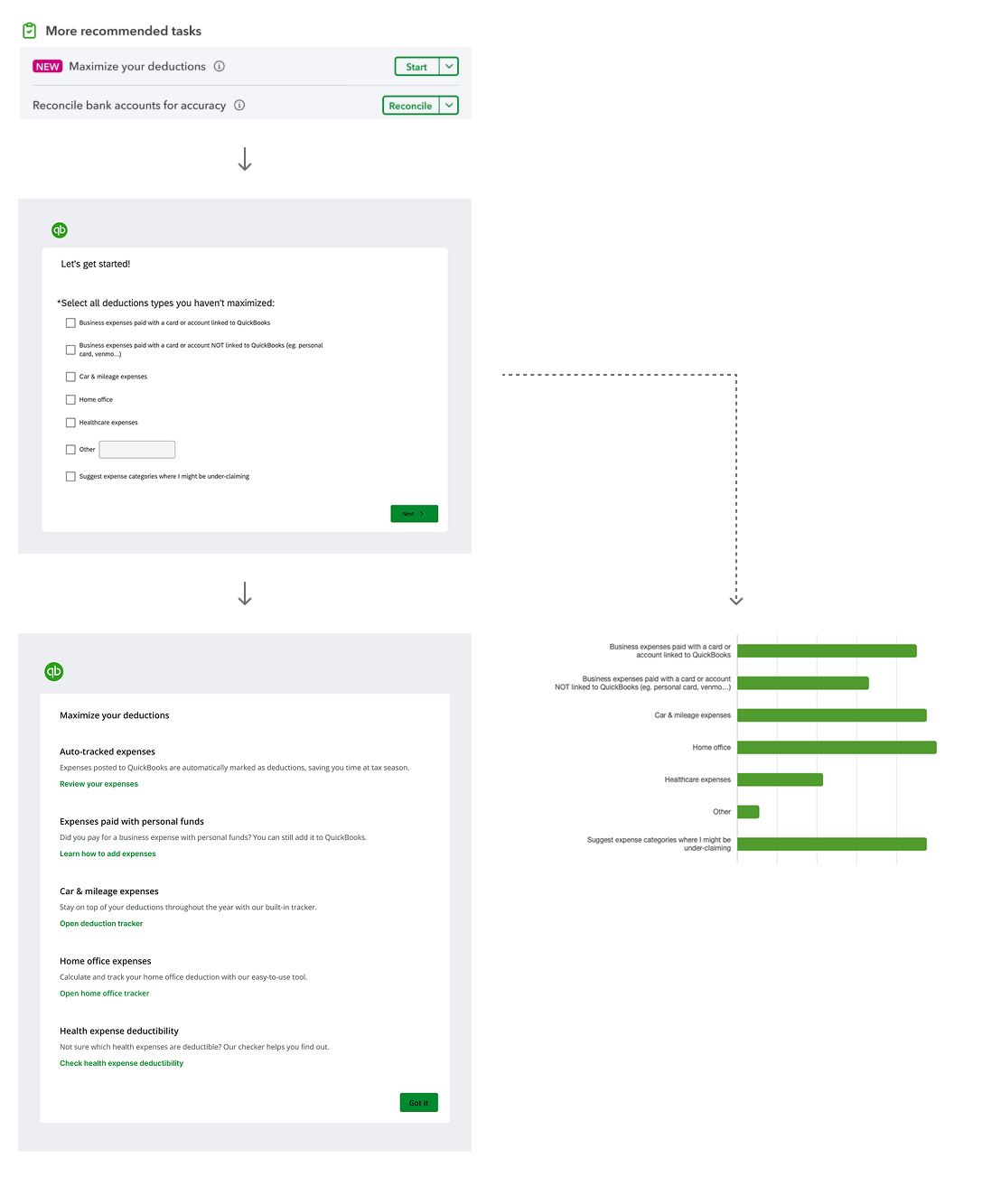
I conceived and shipped a 'fake-door' test: an in-product 'maximize deductions' task that behaved like a step-by-step workflow. This was linked to a Qualtrics survey. The targeted use case proved very prevalent. Combined with other research and marketing data, the business case was approved.
Designing for relevance & trust when you can't know for sure
-
A deliberate “wide net” strategy
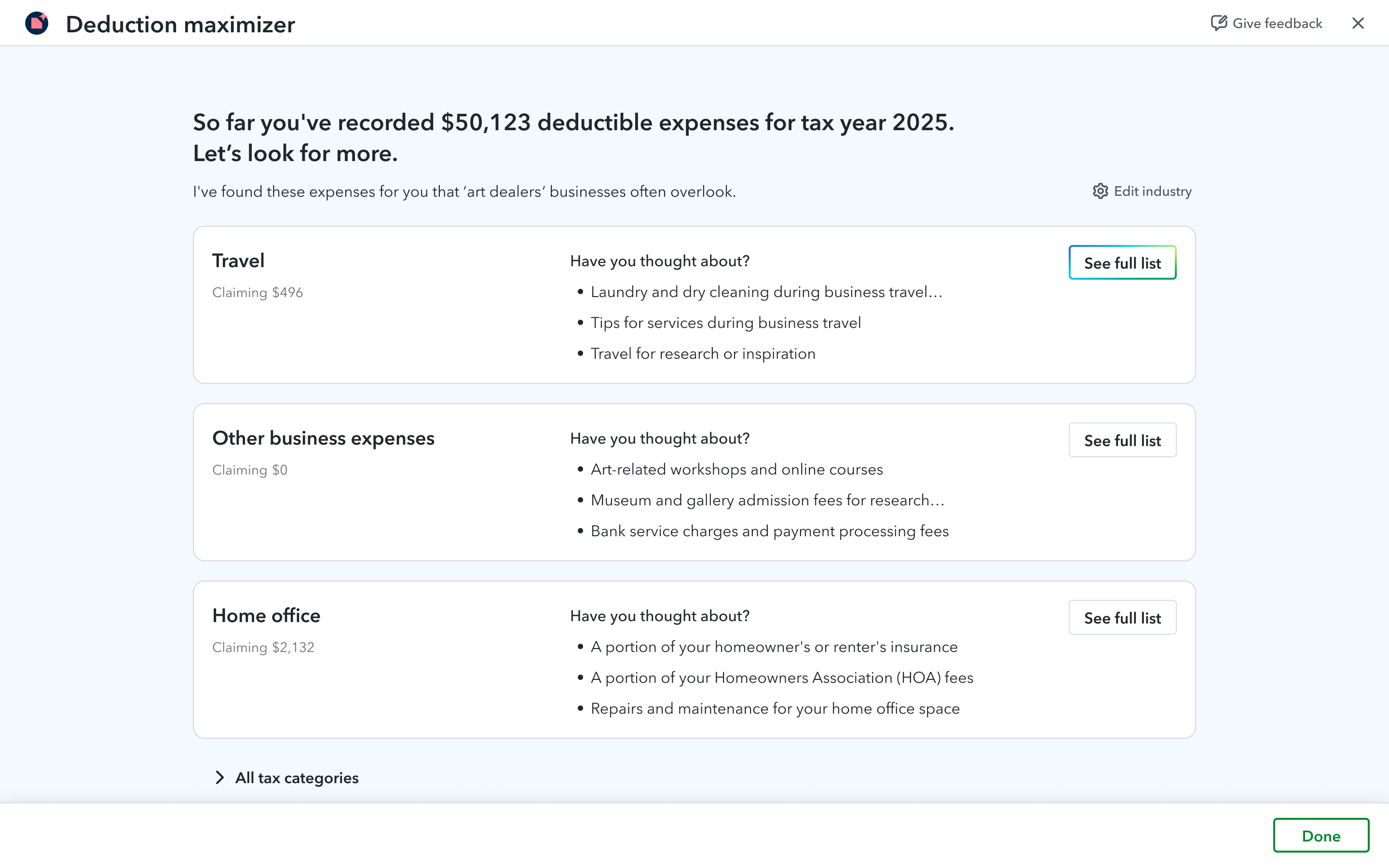
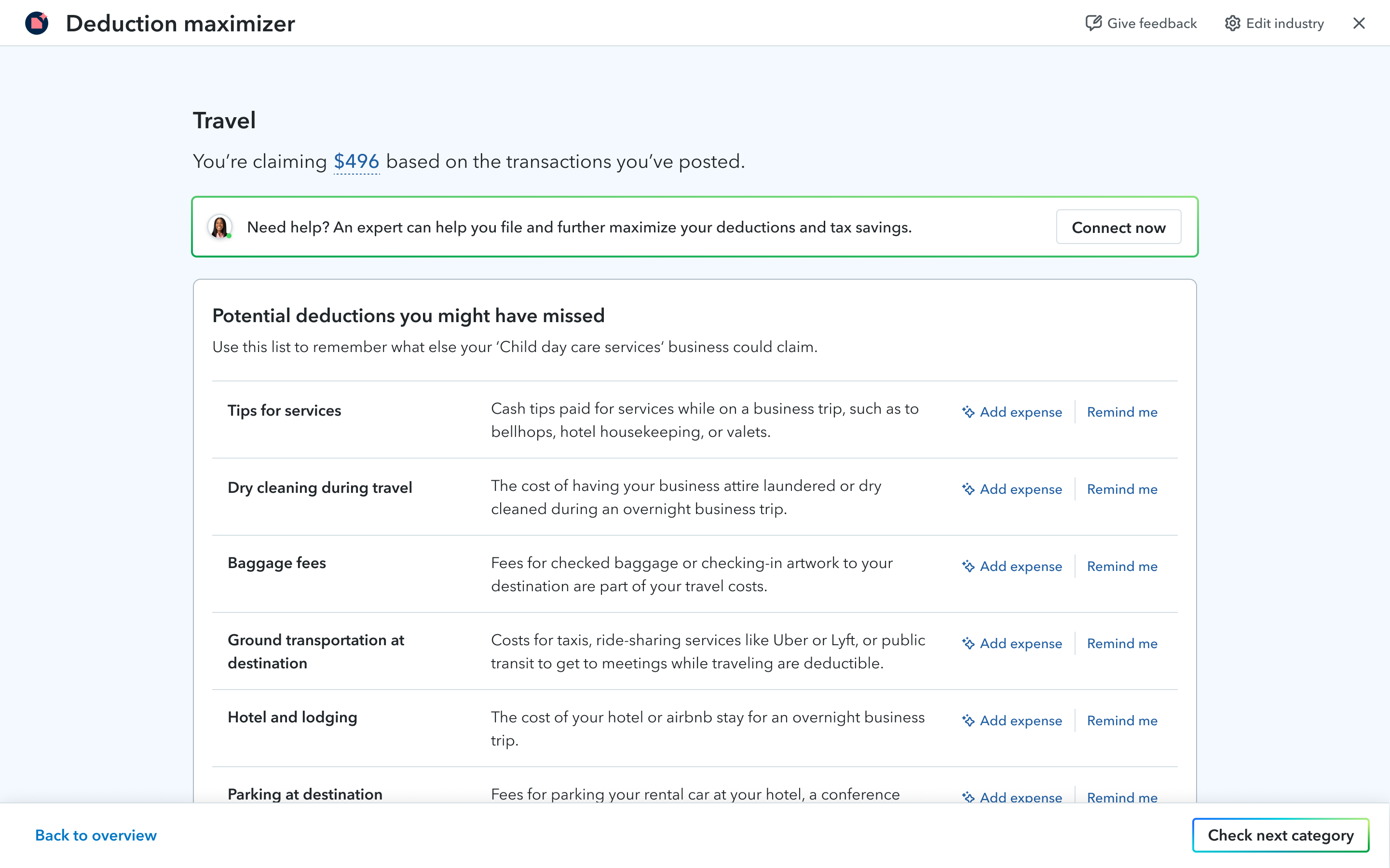
AI can't reliably know which deductions a specific business actually missed. So I leaned into that constraint. I designed a wide-net approach that prompts users to recall deductions they didn't know existed, across all tax categories. A secondary benefit emerged naturally: for new business owners, the same content doubled as education on what's even deductible.
-
Progressive discovery over information overload
Rather than front-loading everything, I let users explore on their own: a few deductions first, with more categories and detail revealed on demand. I extended the design system's datagrid to support this content-led experience, then validated the pattern across 31 test sessions to land on the right balance of density and relevance.
Ensuring LLM output quality
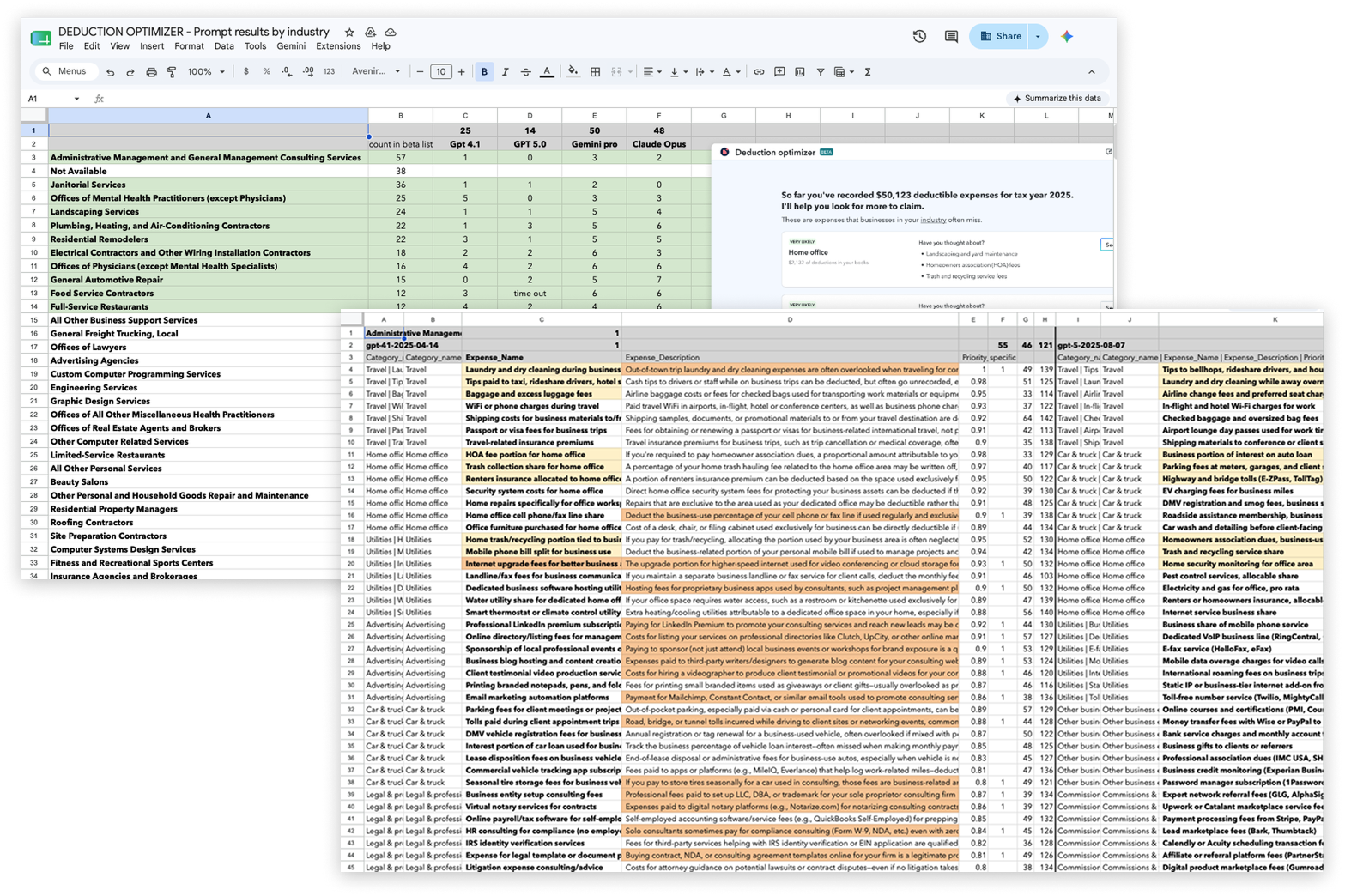
Refined LLM prompt and evaluated models to deliver relevance at scale
For latency & cost reasons, we couldn't generate business-specific content, only industry-specific. So I refined the LLM prompt and ran evaluations across models to solve two problems: ensuring deduction names and descriptions felt tailored enough to resonate with customers, and selecting the top-3 deductions per industry that were likely to have been missed or were unknown. The goal: relevance across ~5,000 distinct use cases without sacrificing personalization.
Turning a gap into an agentic moment
Analytics put numbers to the friction we'd suspected
Once the feature surfaced a missing deductible expense, users could set a reminder or add it on the spot. Reminders converted at 50%, adding an expense stalled at 10%. The culprit was a legacy screen that quietly assumed accounting fluency, especially for expenses paid from a personal account.
Designed the agentic conversation flow to ensure users get it right
After validating that users were adding expenses, we invested in agentifying the accounting that users shouldn't have to do. I rebuilt the flow around the Intuit Intelligence agent pattern, designing a conversation that branched on the source of funds: personal money logged straight to a journal entry, while funds from a linked QuickBooks account were guided into finding and reclassifying the transaction correctly.